



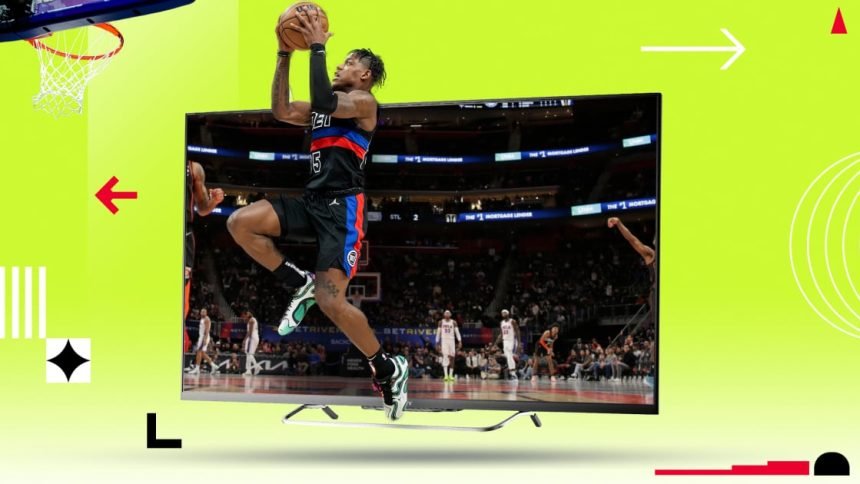
The NBA Conference Finals start next week, but who will face off against the New York Knicks and the Oklahoma City Thunder? We may find out tonight.
First up, the Detroit Pistons travel to Cleveland for their last shot to tie with the Cavaliers. If Detroit loses this game, the Cavaliers are headed to the Eastern Conference finals next week. Then, we’ll see the San Antonio Spurs face off against the Minnesota Timberwolves. If the Spurs can pull off another win, they’ll have a shot at making it to the NBA Playoff finals.
Keeping track of where each NBA Playoff game is streaming has been dizzying, to say the least. Here’s how to tune in to tonight’s games, plus a full schedule of upcoming games, so you don’t miss a second of the live action.
What Time Is the Pistons vs. the Cavaliers Game 6?
You can catch the Pistons vs. the Cavaliers tonight at 7 p.m. ET, Friday, May 15, 2026. If the Pistons win tonight, we’ll see one more game between these two teams on Sunday.
What Time Is the Spurs vs. the Timberwolves Game 6?
You can catch the Spurs vs. the Timberwolves tonight at 9:30 p.m. ET, Friday, May 15, 2026. It’s possible that we’ll have one more game on Sunday, unless the Spurs clinch another win tonight.
How to Watch the Pistons vs. Cavaliers and the Spurs vs. Timberwolves Tonight
Both NBA Playoff semifinal games will air on Prime Video tonight. If you don’t have a Prime Video subscription, you can sign up for a free trial to catch both games at no extra cost.
2026 NBA Playoffs: Schedule and Where to Watch
(Credit: NBA)
Starting this year, the NBA has split playoff games between ESPN/ABC, NBC/Peacock, and Amazon. According to the agreement, ESPN/ABC will broadcast 18 games in the first two rounds, one conference finals in 10 of the 11 years, and the NBA Finals. NBC/Peacock will broadcast 28 playoff games in the first two rounds and one conference final in six of the 11 years. Previously, the Play-In Tournament aired on ESPN and TNT, but all six games are exclusively broadcast on Prime Video for the next 11 seasons. Amazon will also carry approximately one-third of the first two playoff rounds, as well as one of the conference finals in six of the 11 years.
2026 NBA Conference Semifinals Game Schedule and How to Watch:
*If needed
2026 NBA Eastern Conference Finals Game Schedule:
2026 NBA Western Conference Finals Game Schedule:
2026 NBA Finals Game Schedule:


How to Stream the 2026 NBA Playoffs
If you want to watch every game of the NBA Playoffs without worrying about which network is broadcasting each game, there are streaming options that let you watch everything. Unfortunately, since the games are spread across three companies—Disney, Comcast, and Amazon—you’ll likely need to do some searching to find the best package that covers as many games as possible.
Recommended by Our Editors


- Amazon Prime Video: If you’re an Amazon Prime member, you already have access to the games broadcast by Amazon. Prime costs $14.99 per month or $139 annually. For an extra $4.99 per month, the Ultra plan will also give you 4K streaming.
- DirecTV: The $89.99 Entertainment package gives you access to ABC, NBC, and ESPN.
- ESPN Select: Stream live sports and archived ESPN shows starting at $12.99 per month.
- Fubo: Fubo carries ABC and ESPN, which you can get via the Sports plan for $55.99 per month. There is also a quarterly priced option.
- Hulu + Live TV: The ad-supported, $89.99-per-month live TV package lets you stream ABC and ESPN.
- Peacock: For $10.99 per month, Peacock Premium will grant you access to all playoff games broadcast on NBC and the streaming app.
- Sling: Sling’s Orange & Blue bundle includes ABC, NBC, and ESPN for $60.99 per month. There are less expensive packages available if you only need some of these channels.
- YouTube TV: The streamer’s Sports Plan includes ABC, NBC, and ESPN for $64.99 per month
As a reminder, you’ll want to enable your TV’s motion-smoothing option for the best picture while watching the NBA Playoffs and other televised sporting events. Equally as important, remember to turn it off when you’re done, so your TV shows and movies don’t have that dreaded “soap opera effect.”
PCMag’s Top-Rated Live TV Streaming Services
Can You Watch the NBA Playoffs With a VPN?
If you’re watching outside the US and games are unavailable in your country, try a VPN. Set the region to a US location to access local streaming content. You may also be able to unlock content available from other regions, even if you’re in the US. For instance, Amazon has the rights to broadcast playoff games (including the Finals) in Mexico, Brazil, France, Italy, Spain, Germany, the UK, and Ireland. If you don’t have ESPN or ABC, but do have Prime, you might be able to use a VPN here. The same can be said for Disney+ if you access it from certain Asian and European markets.
Not all VPN services work well with all streaming services, but the best VPNs for sports streaming will deliver high speeds without data limits. Our top option for watching region-locked sports games is ExpressVPN, PCMag’s top choice for location spoofing. Since ExpressVPN has servers worldwide, it’s easy to obfuscate your location to access region-locked content. Other top options include our Editors’ Choice winners, NordVPN and Proton VPN. You can also check out our recommended VPNs for iPhones and Android devices if you’re watching on the go.
PCMag-Recommended VPN Services for Watching the NBA Playoffs
For more on how to watch basketball, check out our roundup of the best NBA streaming services.
About Our Expert

Jason Cohen
Senior Editor, Help & How To
Experience
As PCMag’s editor of how to content, I have to cover a wide variety of topics and also make our stories accessible to everyday users. Considering my history as a technical writer, copywriter, and all-around freelancer covering baseball, comics, and more at various outlets, I am used to making myself into an expert.
I believe tech corporations are bad, but you might as well know how to use technology in everyday life. Want more how to content delivered right to your inbox? Sign up for the tips and tricks newsletter that I curate twice a week.
My job as how-to guru means I use just about every gadget under the sun, so I can figure out how everything works. I work from a Lenovo ThinkPad running Windows 11, but also have a very large Dell Inspiron 17 3000 and Apple silicon MacBook. I also have a Google Pixel 6a for personal use and use a Galaxy Z Flip 4 for additional Samsung-related testing. For iOS coverage, an iPhone 13 mini works like a charm, though it’s already becoming a little long in the tooth.
My desktop situation includes a dual monitor setup with a modest Acer monitor. I also use a Logitech mouse (who can use these ThinkPad trackpads) and a Havit keyboard (my first mechanical keyboard; I love it but my wife hates it!). I’m a recent convert from wired headphones; I have Anker Soundcore Liberty Air wireless earbuds for personal use and have taken to the Sennheiser HD 450BT headphones for work.
Whenever I have a second to myself, I’m probably gaming on my Nintendo Switch, Steam Deck, or Xbox Series S. I also still have a bunch of classic consoles lying around as well.